
Beard Booth - Photo Editor App
JIRAPAS TONGTHONG
Beard Booth App, Add beard to your photos now!, don't wait beard for grow.






In-app purchases in United States
Items currently visible on Apple’s public App Store page. This may not be the complete App Store Connect catalog.
Source: Apple public App Store page · Publicly visible items only · Checked Aug 5, 2026
About Beard Booth - Photo Editor AppStorefront description supplied by Apple.
Beard Booth App, Add beard to your photos now!, don't wait beard for grow.
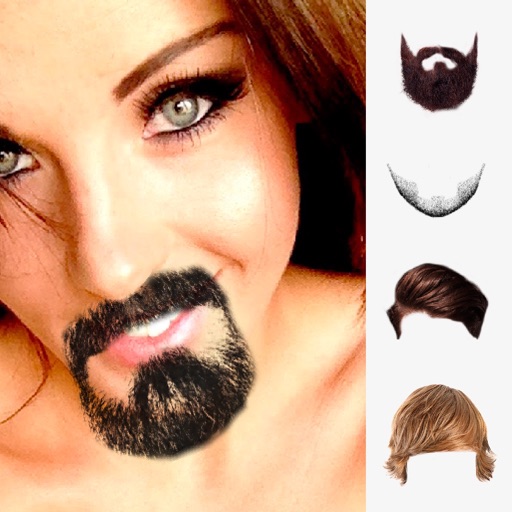
40 Many beards styles with short beards and long beards for get instantly!
** Make your photo with beard - Many beard styles with short beards and long beards instantly! **
Want to be hipster? Use Beard Booth:add beards to photos! App is easy & funny to use and look realistic beard,
come with variety of beautiful 40 beard styles and available for adjust transparent (density),
** Beard will auto position on your face with "Face Detection" analyze **
How to use ?, just take a picture, or select from the camera roll or your photo gallery,
then get beard on your face. want new beard just tap next button to get new beard or select it in beard's gallery.
When a your picture with beard is good looking,it easy to save images
& share.
== Features: ==
1. The Interface is easy to use and beautiful.
2. Variety of beautiful beard styles and included with short beard & long beard (hipster style)
3. Take photos using the camera or select a picture from your camera roll or photo gallery.
4. Auto beard position on your face with face detection.
4. Scale, rotate, move adjust with your finger easily.
5. Save and Share your photo to social media.
== Instruction ==
1. Select a picture from your camera roll (photo gallery)or take photo .
2. Adjust your photo fix in frame, one finger for move and two fingers for scale and rotation, then tap OK button for use this picture.
3. Beard will appear and auto position on your face.
4. If you want to some adjust, use your fingers for adjust (scale-move-rotation) beard by one finger for move and two fingers for scale and rotation.
5. Tap "Visual Adjust Button" for open/close "Visual Adjust Panel" by this panel user can adjust visibility of beard.
6. Save to Camera Roll or your photo gallery by use "Done Button" then "Save Button".
7. For Sharing your funny photo use "Done Button" then "Sharing Button" then select social media which you want to share.
Frequently asked questions
Quick answers based on the latest observed App Store data.
How much does Beard Booth - Photo Editor App cost in United States?
The latest observed download price is Free. Open the official App Store link to confirm the current checkout price.
Does Beard Booth - Photo Editor App have in-app purchases?
Apple's public page currently shows 0 purchase items in this storefront. The public list may be incomplete.