 AppPriceData
観測済みデータ
AppPriceData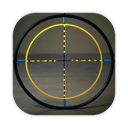
泳诗 陈
Crosshair software is a lightweight, easy-to-use screen auxiliary tool designed to provide users with accurate screen positioning and measurement functions. The main functions and features are as follows:
現在選択しているストアで観測したダウンロード価格です。地域別価格を開くと、国ごとの換算価格を比較できます。
Apple の公開 App Store ページで現在確認できる項目です。App Store Connect の完全な商品一覧とは限りません。
Crosshair software is a lightweight, easy-to-use screen auxiliary tool designed to provide users with accurate screen positioning and measurement functions. The main functions and features are as follows:
Guideline style selection:
Crosshair: Display a cross-shaped alignment mark with adjustable thickness and length
Dot guideline: Display a small dot as an alignment reference
Circular guideline: Display a circular alignment mark with adjustable size
2. Operation mode:
Fixed mode: The guideline is fixed at the screen position
Follow mode: The guideline follows the mouse movement
Drag mode: You can manually drag the guideline to the required position
3. Auxiliary functions:
Reference line display: You can display horizontal and vertical full-screen reference lines
Real-time coordinates: Display the current X and Y coordinate positions of the guideline
Control panel: A draggable and minimizable control interface
4. Custom options:
Guideline color: You can customize the color of the guideline
Line thickness: You can adjust the thickness of the guideline
Guideline length: You can adjust the display length of the guideline
Circle radius: You can adjust the size of the circle in circular guideline mode
Transparency: You can adjust the transparency of the guideline
最新の App Store 観測データに基づく回答です。
最新の観測ダウンロード価格は $2.99 です。現在の決済価格は公式 App Store リンクで確認してください。
Apple の公開ページでは現在、このストアで 0 件の購入項目が表示されています。公開一覧は完全ではない場合があります。
はい。App Store の価格はストア、通貨、税、開発者の価格設定によって異なる場合があります。現在 2 地域の観測データがあります。


